DONATE HERE - Safe - Secure - PayPal Donations

Step One:
GET VirtuaGirlHD It's Totally Free
Get a New Girl Dancing On your Desktop EVERY DAY!


So Now you Have all these Sexy Girls to Dance for you and you Want to Control the Action!

Here it Is! Just take the next step...
Step Two:
NOW GET the FREE ADD ON FOR VIRTUGIRL HD
and Get full control of your VGHD cards and clips.
NEW VGHD-Player 2.6.0.4 Released: 03-31-2010
Version 2.6.0.4

Version History - Click Here

Download the VGHD Player 2604.zip or the VGHD Player 2604.rar File.
Extract the files and run the Setup.exe file.

Questions? Click Here

Version History - Click Here

Step Three:
DONATE HERE - Safe - Secure - PayPal Donations

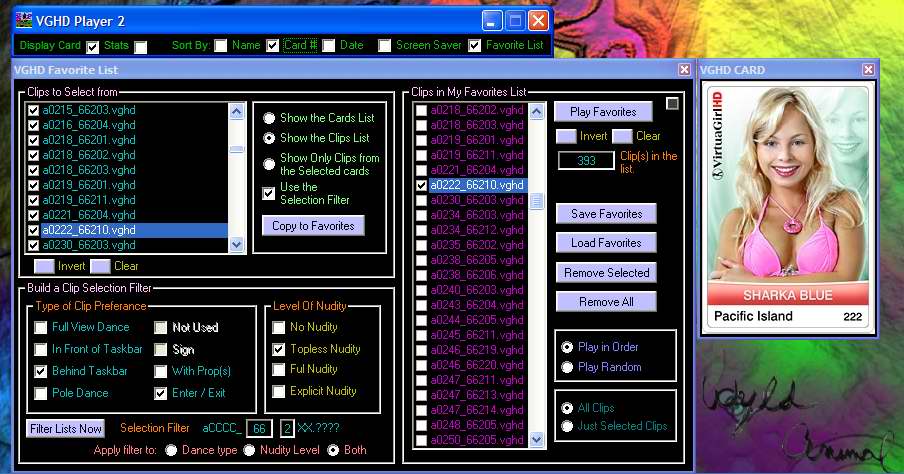
Using a filter to find only specific clips and add them to the Favorites list.

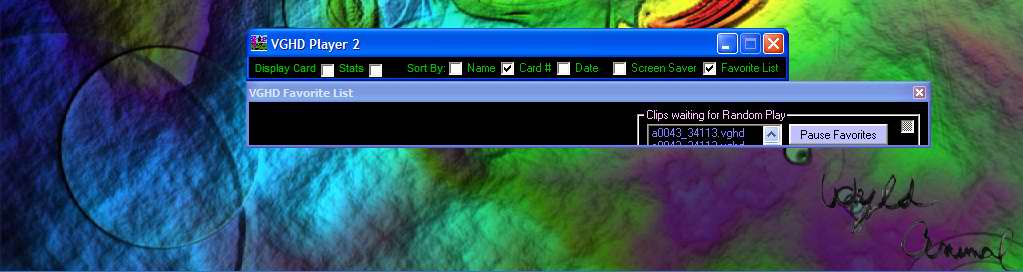
Favorite List playing in random mode and Shrunk down to Mini to free up the screen.

How to Download:
Download the VGHD Player 2604.zip or the stripsaver
*****
-->
DONATE HERE - Safe - Secure - PayPal Donations

Link to VGHD PLAYER Beta folder Get Old and New files here.
Link to Video Tutorials


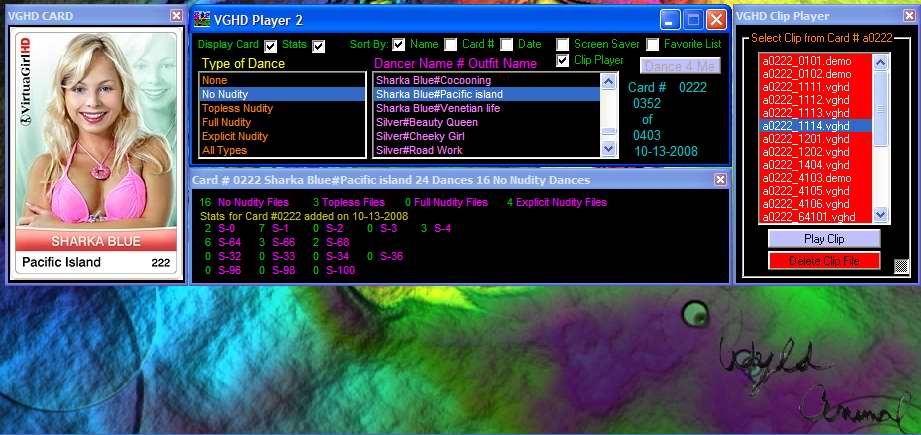
The Clip Player Mode now has a Clip Delete Mode that can be enabled.


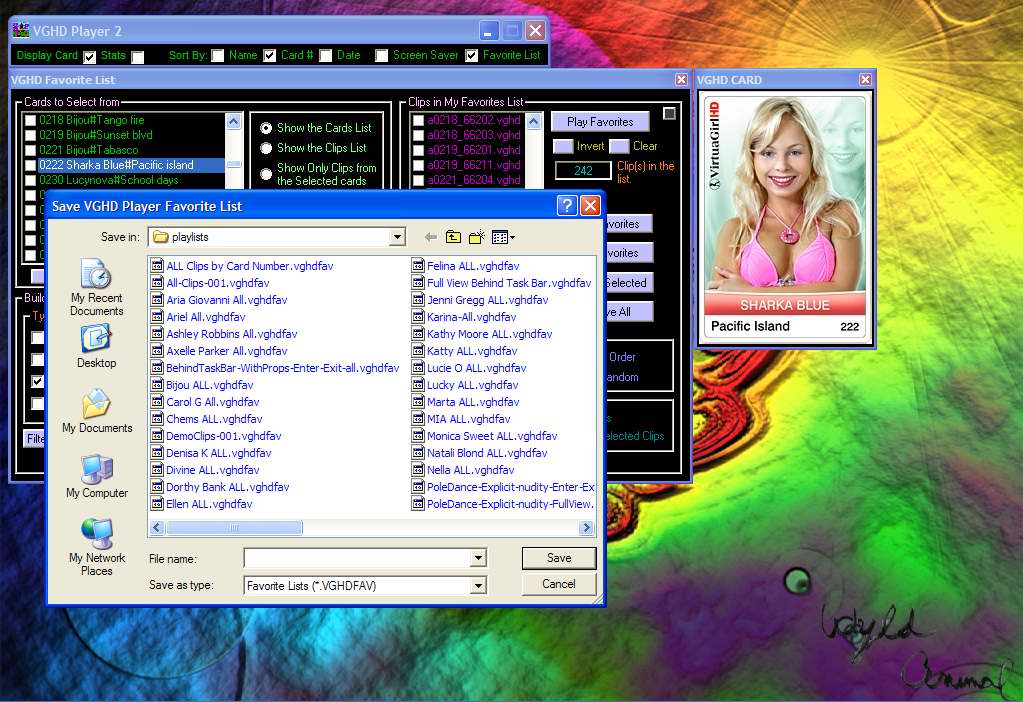
Save and Load as Many Favorite Lists as you like. Load them back in to replay them.


Back to Top
VGHD Player FAQ:
Q: I'm Getting Error 380 HELP!
A: Read this PDF file. Click Here.

Q: I already have the old version installed. Should I Un-Install it before I install this new version?
A: You do not Have to. If you keep the old version, the new version will install to the same folder, but it will be Called VGHD-Player2. Both Version can be installed on your computer.
I recommend that you only use one version at a time. So it might be best to un-install the old one so there is no confusion.

Q: Is the VGHD Player supported by Totem?
A: NO, Totem does not have any involvement with the VGHD Player. I did request permission from Totem so that I could share it with the VGHD community. Totem gave me their OK. That is the extent of their involvement. ANY AND ALL Support question Must be directed to WyldAnimal at hotmail dot com.

Q: Does using the VGHD Player violate Totems TERMS AND CONDITIONS and END USER LICENCE AGREEMENT?
A: The VGHD Player does not alter the Totem VGHD software in any way. Since Totem gave me the OK to Share it with the Community, there is no Violation of the Terms of Agreement.

Q: Do you charge a Fee to use the VGHD Player?
A: NO, I do not charge you to use the VGHD Player. It is completely Free to download and use. It is not crippled in any way, and donating does not add any new features.
If you like the VGHD Player you are Welcome to make a Donation. By making a donation it will help give me incentive to add new features.
And besides that, I need the Money.. LOL..

Q: Is it Safe to make a Donation?
A: YES, completely Safe. I chose to use PayPal Donations to handle all of the transactions. PayPal is SAFE, SECURE, and EASY.

Q: If I donate, do you share my information with anyone?
A: Your information is Safe and Secure through Paypal Donations. I do not share information with Anyone, or any other site. If I receive a Donation and your e-mail address is included. I will send you a personal Thank you message.

DONATE HERE - Safe - Secure - PayPal Donations

Q: What if I have a suggestion or I need help?
A: Forward all Comments and Questions to me at WyldAnimal at Hotmail dot com

Back to Top


History:
I'm Getting Error 380 HELP!
Read this PDF file. Click Here.

03-31-2010
QA Version 2.6.0.4 Released

Fixed - VGHD 1.0.3.5 has new Clip Levels. Fixed the Nudity Level Selections for the Main program and the Filter in he Favorites list.


Back to Top
03-07-2010
QA Version 2.6.0.3 Released
Fixed - Favorite List - When Play Only Selected Clips was selected, the playlist got stuck and same clip played over end over.
Click Here for Instructions to Enable Delete Mode

Back to Top
02-22-2010
QA Version 2.6.0.2 Released
Added - Full Debug file creation to help debug users having errors. ( Vista and W7 users )
Fixed - At startup it is Double Scanning the models.lst file. Only Scans once now.
Click Here for Instructions to Enable Delete Mode

Back to Top
06-22-2009
QA Version 2.2.0.0 Released
Added - QA Mode to Clip Player Popup
Added - Delete mode not Enabled by Default. You will Need to Set a Setting to Enable it.
Click Here for Instructions to Enable Delete Mode

Back to Top

06-21-2009
Version 2.1.0.2 Released
Fixed - Card and Clips counts and Sort Order when using a partial filter setting.
Added - Enabled the SIGN check box on the Filter Selection of the Favorite List. (found a card 'a0002' that uses it.)
Added - Some missing tip messages

Back to Top

06-20-2009
Version 2.1.0.1 Released
Fixed - Card and Clip Count totals in Favorite List off by 1.
Fixed - Mini Popup Windows don't always minimize
Fixed - Card View Popup was Hidden or it Hid the Clip Mode Popup, when the Card view was slid off to the left of the screen.
Added - Clip Deletion is now fully active in the Clip Mode Popup. (small black check box to the lower right enables it.)
Added - If the Sort Check Boxes are all Un-Checked then a Default Card Name Sorted List is Used.
NOTE: Use of the Clip File Deletion Mode is at your Own Risk.

Back to Top

06-19-2009
Version 2.0.0.3 Released
Fixed - Card and Clip Count totals off by 1 less than Actual.
Fixed - With Card List displayed, the Copy to Favorites Button didn't work. (it worked with the Clip List displayed.) When I added the Card Name to the Card List, it broke the Copy to Favorites routine.
Fixed - With a Card or Card(s) selected in the Card List Display, the Copy to Favorites will Copy every Clip from the selected card that matches the Clip Filter setting, In the Sort Order Selected.

Back to Top

06-17-2009
Version 2.0.0.1 Released
Fixed - pressing Cancel on Load or Save Favorites cause program to crash.
Fixed - VGHD.EXE registry settings are not restored when VGHD Player 2 closes.
Fixed - Default Nudity Level was set to "NONE" after program Load. NOW set to "No Nudity". If you Didn't select a Nudity Level and you pressed Dance 4 me, nothing would happen.
Fixed - Phantom Card with No Name shows up on Card Lists. If Card does not have a name, it is not added to the list.
Added - Clip Filter can now be seperated to filter only Nudity Level or Only Clip type, or Both (default)
Added - Delete Clip Mode to Clip Player popup. (small check button lower right corner) Delete mode not enabled in this release.
Added - Main Form is displayed while Initial Lists are built. updating Lists displayed with animated propeller.
Added - The Sort Order Check Boxes are now Effective for the Favorite List Popup Window.
Added - You can open the Clip Player and then Open the Favorite List. The Clip Player will be to the right. So you can try out clips before adding them to the favorite list.
Added - The Card Number and Card Name are displayed in the Card List on the Favorite List popup.

Back to Top

06-11-2009
Version 2.0.0.0 Released
Updated Clip Mode Player with "Add Clip to Favorites" button.
Save and Load Favorites List
Fixed - Updating List Takes Really Long Time
Fixed - Clear button Hangs up Program

Back to Top


Whats Next:
Use of a Configuration File, so that the Colors can be changed. Background Colors, Text Colors, Etc..
Currently all of the Colors are hard coded in the program.
Use of a Language file. ??? Will Have to limit the length of the fields...

Back to Top


To Enable the Delete Mode:
In the Folder where you installed VGHD Player2
Create a New File Called: VGHDDEL.ini
Open that file and type in a line of text: